Posts tonen met het label iphone. Alle posts tonen

dinsdag 22 juli 2008

Geotagging iPhone gone bad :(

Great feature: geotagging the images taken with the iPhone [already the most Popular Cameraphone on Flickr].

Just imagion that you take photos during the holiday and all you need to do is dump them in, say, google earth and all pics are shown in the correct location. Right, that was the plan. Unfortunatly Apple made a couple of errors with the implementation, again.

The UIImagePicker application that is used when you email a photo from the iPhone, strips out the EXIF location data, DUH! iPhoto mutilates [strips the "Ref" tag] the EXIF geodata when resizing photos, DUH.

So what you get is third party apps that sort-of-help, like AirMe. It will upload the photo to Flickr and geotag it, but then you have to take the pic with AirMe and have NO geodata stored in the EXIF data of the photo at all, and that is bad.

Who knows, maybe if Apple would put a little less invain effort in the locking down of the iPhone they'd be able to get MMS working? Some more features in the camera? Geotagging stored correctly? How difficult is that? How come 17 year old's CAN do that but a multi bilion company can't?
Photo source

donderdag 10 juli 2008

Queing for the iPhone 2.0

In Rotterdam there is a [modest] queue for the T-Mobile shop that will start selling the iPhone 2.0 from 00:00 sharp.

500 phones are available to those that have no friends, no home, no sex and no lust for beer.

Mine will fall out of the air real soon now, but I can not say I am half as tense as I was with the iPhone orginal a year ago.

woensdag 14 mei 2008

Beta testers wanted for FERRET

Last October David Maynor went to the the NASCAR truck series. Of course he brought his iPhone with and was shocked to see so many open WiFi networks:


So what do you do when you made the headlines with your Ferret & Hamster releases in August 2007? You port Ferret [hamster too? Maybe? Please?] to the iPhone.

Now they are looking for beta testers with open iPhones. Feel up to the challenge?

Check here!

woensdag 7 mei 2008

Imagion being Vodafony and bending over Apple...

What do you get after you've been initially big mouthing Steve at the launch of the iPhone, claiming you know it all for you have been in the GSM cloud business so long?

You get the left overs, the 2G countries, like: Australia, the Czech Republic, Egypt, Greece, Italy, India, Portugal, New Zealand, South Africa and Turkey. And those you get not even exclusively, muwaa!!!

Being able to offload 2G handsets into secondary markets will be very useful for Apple if they do launch a 3G version of the iPhone as generally expected.

Now, Arun Sarin has been labeled strange and basically clueless before. Being out of touch with reality really scares the shiit out of people working in his company but who know, now that he found the way in to Apple's $ stream, maybe the good people working at Vodafone will get a break and develop something nice. Maybe. Then again it is more likely the big shot sees no need for cool iPhone apps and will be happy with the pennies and cents he is allowed to keep for the devices he sells, business like usual.

vrijdag 23 november 2007

iPhone power

It always took me nearly half a day to completely drain the iPhone battery with the iPod functionality, but now I have the possibility to do it in less then 2 hours :P

Oh and to increase the provider costs a little, do this:
Settings => General => Networks => EDGE
APN => Internet
Username => leave empty
Password => leave empty


And you should see the 'E' light up when you are lucky enough to be WiFi-less and all should work as slow & expensive as one can expect from a GPRS connection.

To get MMS to work on KPN, do:

APN: internet
Username: KPN
Password: gprs

zaterdag 27 oktober 2007

It's mine, all mine!

"Mozilla/5.0 (iPhone; U; CPU like Mac OS X; en) AppleWebKit/420+ (KHTML, like Gecko) Version/3.0 Mobile/1C28 Safari/419.3"

donderdag 13 september 2007

I have a dream!

Welcome To The Tinhead-Proof Free Unlock Guide (OS X)

First of All, A Big Fat thanks goes to the iPhone dev team. Class A engineering team IMHO.

The following tutorial is not a general tutorial that will work for everyone. It is rather a documentation of my unlock process. It worked for me from the first time, and I got no errors whatsoever along the way *knocks on wood*. Some guys asked me to do a write up, so here it is. In this tutorial some instructions are copied verbatim from other guides (the guide from forum member jprooney, and iphone.unlock.no). I am not claiming everything below is written by me. I used some instructions from different tutorials to do my unlock, and this guide is rather a mixed bag of these guides.

About my iPhone: Before doing the unlock, my iPhone was already jailbroken, activated, and youTube was working. I used a powerbook and it took me around 40 mins from start to finish to get have my iPhone unlocked and working on o2 in Germany. I have tested Calls in/out, SMS in/out. youTube works too.

Now let's get started...

Pre-cautions:
- Keep the phone docked and connected to some power source. We don't want to run out of battery mid-unlocking.
- Remove any SIM cards in the tray.
- Make sure you have firmware 1.0.2 on the iPhone.
- Avoid iTunes 7.4. This tutorial assumes you use 3.7.
- Make sure iTunes and iTunesHelper are not running.
- Disable auto-lock on the iPhone. You can do this by going to Settings>General>Auto-Lock>NEVER.
- Set the iPhone IP address to static. You can do this by going to Settings->WiFi>Select network>static. Make note of your IP address at that point too.

Unlock Preparations:
- Jailbreak and Activate your iPhone using iNdepedance.
- Install SSH using iNdepdance. Change the password afterwards.
- Download and install Installer.app V 2.4 from here. Installing it is dead simple. Download it and run the installer. It will guide you through the process.
- After installation, a new icon will appear on home screen of the iPhone called "installer".
- Tap on the installer icon. Select the "update" tab and install the update v2.6.
- Go to the "install" tab and install the BSD subsystem. This is not instant, it will take a few mins so don't panic and do anything stupid.
- Reboot the iPhone.

Unlocking:
- Download the unlock files. I didn't use all the included files. Only 5 of them.
- Open Cyberduck or Fugu and connect to the iPhone. Do that by filling in the IP address, username (root), and password (same as that of SSH).
- Use it to Copy 5 files from your computer to /usr/bin directory on the iPhone. These files are: iUnlock, ICE03.14.08_G.fls, nor, minicom, bbupdater.
- On the iPhone, browse to /usr and create a new directory called local. Go into local and create another directory called etc.
- After you are finished, the directory structure /usr/local/etc should be present.
- Close Cyberduck/Fugu.

- Open Terminal (applications/utilities or just use spotlight to find it).
- SSH into the iPhone. it is time to do the serious stuff. You can do that using the command ssh root@ipaddressoftheiphone. it will ask you for the password.
- If you enter the password correctly, you will be presented by the sign #, indicating you are now in the iPhone command-line.

- Type cd /usr/bin.
- Note: One thing to note about typing in commands in the shell: You can auto-complete command names and file names by hitting tab. Using it is good because you can avoid any typos and type in commands much faster.

- Type chmod +x bbupdater hit enter. Note: after hitting enter, you should get no result, It means it is successful. It will go back to # sign.
- Type chmod +x iUnlock hit enter.
- Type chmod +x minicom hit enter.

- Type launchctl unload -w /System/Library/LaunchDaemons/com.apple.CommCenter.plist . Hint: Use tab to auto-complete.
- Note: When you hit enter, you will notice on the iPhone screen at the part that previously said "No SIM" will now display "--". You have now just turned off the baseband. Nice!

- Now, we arrive at the most time-consuming part of the unlocking. It will take around 20 minutes (yes, it is that slow). Before you run that command makes sure that your iPhone is properly charged. Type in iUnlock ICE03.14.08_G.fls nor

- The first thing you will see is "sending erase command" then it will start displaying a double digit number, starting "00". This is like a progress bar, it will start advancing as the task is being completed by scrolling down the screen.

- After it is done, the last word you will see from running the command as an output is "Enjoy". This indicates the command finished successfully.

- To confirm that it went well type in bbupdater -v . Look for xgendata somewhere in the ouputs - if you find it, it means it was succsessful.

- Type in minicom -s hit enter.

- Select Serial port setup (with your down arrow key) then press enter/return.
- At the next screen, type: A
- Your cursor will now be at the Serial Device line. Type: /dev/tty.baseband Then press enter/return.
- Press the escape key. Select Save setup as dfl and press enter/return. You will get a pop up message saying Configuration Saved.
- Select Exit. Then press enter/return.
- Type in AT hit enter. You should get OK for response.
- Type in AT+CLCK="PN",0,"00000000" hit enter. You should get OK for response
- Type in AT+CLCK="PN",2 hit enter. You should get this for response +CLCK: 0 OK. if this is the case your iPhone is unlocked.

- You are almost done. Remember the command you entered early on to disable the baseband. Well, now it is time to re-enable it.

- Type in the command launchctl load -w /System/Library/LaunchDaemons/com.apple.CommCenter.plist

Now, you are done. Put in your SIM card and reboot. If everything went fine you should see something like this.
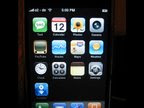
Enjoy!

woensdag 22 augustus 2007

#$%% YOU APPLE, #$%%!!!!

Most certainly I heard it right, when the iPhone was introduced:

"In June in the states, later 2007 in Europe."

So I waited, and waited, and followed all the unlocking adventures, ranging from the DVD Jon crippled [no phone] iActivator to the [illegal] Turbosim tricks. I read and talked, I hoped and waited for I knew: Only a couple of weeks, months maybe, and I will have my real, own, legal iPhone with over paid subscription.

I did NOT extent my current [three to be precise] mobile subscriptions, for I was waiting for the legit iPhone offerings here in Holland. Since Holland is located in Europe, and I saw Steve J tell us that it would be available "late 2007 in Europe".

But it ain't.

According to the FT, Europe is France, Germany & England. The rest of the richest part of the world will have to wait till next year.

Well I say: that is the worst piece of expectation management I have ever seen Apple pull. As a matter of fact I am so angry right now that my ProBook & my iMac better avoid me for sometime, and I will not buy the AppleTV either.

zaterdag 28 juli 2007

I love /var/log

On june 11, 2007 it hit me:

"Mozilla/5.0 (iPhone; U; CPU like Mac OS X; en) AppleWebKit/420+ (KHTML, like Gecko) Version/3.0 Mobile/1A543a Safari/419.3"

nmaping the iPhone

... and so it goes:

TCP/IP fingerprint iPhone:
OS:SCAN(V=4.20%D=7/28%OT=22%CT=1%CU=32199%PV=Y%DS=1%G=Y%M=001B63%TM=46AB181
OS:5%P=i386-apple-darwin8.10.1)SEQ(SP=0%GCD=1%ISR=1A%TI=I%II=I%SS=S)SEQ(SP=
OS:0%GCD=1%ISR=1B%TI=I%II=I%SS=S%TS=1)OPS(O1=M5B4NW0NNT11SLL%O2=M5B4NW0NNT1
OS:1SLL%O3=M5B4NW0NNT11%O4=M5B4NW0NNT11SLL%O5=M5B4NW0NNT11SLL%O6=M5B4NNT11S
OS:LL)WIN(W1=FFFF%W2=FFFF%W3=FFFF%W4=FFFF%W5=FFFF%W6=FFFF)ECN(R=Y%DF=Y%T=40
OS:%W=FFFF%O=M5B4NW0SLL%CC=N%Q=)T1(R=Y%DF=Y%T=40%S=O%A=S+%F=AS%RD=0%Q=)T2(R
OS:=Y%DF=Y%T=40%W=0%S=Z%A=S%F=AR%O=%RD=0%Q=)T3(R=N)T4(R=Y%DF=Y%T=40%W=0%S=A
OS:%A=Z%F=R%O=%RD=0%Q=)T5(R=Y%DF=N%T=40%W=0%S=Z%A=S+%F=AR%O=%RD=0%Q=)T6(R=Y
OS:%DF=Y%T=40%W=0%S=A%A=Z%F=R%O=%RD=0%Q=)T7(R=Y%DF=N%T=40%W=0%S=Z%A=S%F=AR%
OS:O=%RD=0%Q=)U1(R=Y%DF=N%T=40%TOS=0%IPL=38%UN=0%RIPL=G%RID=G%RIPCK=G%RUCK=
OS:0%RUL=G%RUD=G)IE(R=Y%DFI=S%T=40%TOSI=S%CD=S%SI=S%DLI=S)